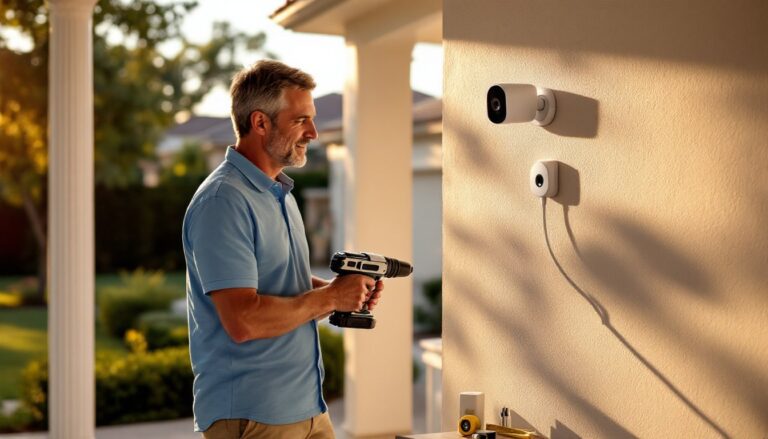
Your smart home is only as secure as its weakest link. Connected devices, thermostats, cameras, locks, lights, make home management convenient, but they also create entry points for hackers if left unprotected. Unlike traditional home security, which relies on physical locks and alarms, smart device security demands a different mindset. You’re not just protecting hardware: you’re guarding the digital infrastructure that controls it. The good news is that with straightforward practices, most homeowners can significantly reduce their risk. This guide walks through the vulnerabilities, the fundamentals, and the hands-on steps to lock down your connected home right now.
Table of Contents
ToggleKey Takeaways
- Smart device security requires ongoing maintenance because one compromised device can serve as a pivot point to access other connected systems on your home network.
- Change default credentials, enable WPA3 encryption on your Wi-Fi, and disable unnecessary features like WPS and remote management to establish a strong security foundation.
- Update firmware regularly and enable two-factor authentication across all devices to protect against exploited vulnerabilities and unauthorized account access.
- Audit your connected devices every six months, research manufacturer security practices before purchasing, and isolate high-risk devices like cameras on separate networks to limit attacker reach.
- Smart home device security threats evolve constantly, so stay informed through trusted sources and implement immediate actions like changing Wi-Fi passwords and updating device defaults today.
Why Smart Device Security Matters for Your Home
A compromised smart device sounds abstract until it happens to you. A hacked camera means someone’s watching your home. A breached thermostat lets intruders map your heating patterns and detect when you’re away. Compromised smart locks give unauthorized access. The stakes aren’t theoretical, they’re your family’s safety, privacy, and peace of mind.
Beyond personal risk, connected devices in your home form a network. One weak device can be a foot in the door to compromise others. A hacked printer sitting on your home Wi-Fi can become a pivot point to reach your security camera or smart speaker. Cybersecurity isn’t one-and-done: it’s ongoing maintenance, much like painting or roof inspection.
Homeowners often underestimate this because smart devices “just work” out of the box. That convenience hides complexity. Each device runs software, connects to the internet, and often stores or transmits data. Manufacturers release security patches periodically, but many users never install them. That gap between “shipped” and “secured” is where most vulnerabilities hide.
Common Vulnerabilities in Connected Home Devices
Default credentials are the first line of offense for attackers. Smart devices ship with preset usernames and passwords, often something generic like admin/admin or user/password. Many homeowners never change these. A attacker scanning your network can immediately access the device’s interface and change settings, disable protections, or pivot to other systems.
Outdated firmware is another critical weakness. Manufacturers patch security holes regularly, but users often ignore update notifications or don’t know updates exist. Running old firmware is like leaving your front door unlocked because you haven’t oiled the hinges in a year. The software running your device is where attackers exploit bugs to gain control.
Weak Wi-Fi networks compound the problem. If your home network uses an old security standard (like WEP or even early WPA) or a simple password, attackers can eavesdrop on or intercept traffic between your devices and the internet. This is especially dangerous for devices that transmit sensitive data, like cameras or smart locks.
Phishing and social engineering targeting smart home owners are also common. Attackers might send emails impersonating device manufacturers, asking you to “verify your account” and trick you into providing credentials or clicking malicious links. Many breaches start with user error, not the device itself.
Securing Your Network and Connected Devices
Strengthen Your Wi-Fi Network
Start with the foundation: your Wi-Fi. Change the default network name (SSID) and password immediately. Use a strong password, at least 16 characters, mixing uppercase, lowercase, numbers, and symbols. This sounds tedious, but it’s your perimeter defense.
Enable WPA3 encryption if your router supports it: if not, WPA2 is acceptable (WEP and WPA are obsolete, don’t use them). WPA3 is the current standard and offers better protection against brute-force attacks. Check your router’s settings by logging in via its admin interface (usually found in the instruction manual or on the device label). Most routers default to a weak encryption setting: you’ll need to manually upgrade it.
Hide your SSID broadcast if you’re comfortable typing your network name manually when connecting devices. This adds a minor layer of obscurity (not true security, but helpful). More importantly, disable WPS (Wi-Fi Protected Setup), it’s convenient but has known vulnerabilities. Also disable remote management on your router so no one can access its settings from outside your home network.
Consider a separate guest network for visitors. This isolates guest traffic from your smart devices. Many modern routers support this feature in their admin settings.
Update Firmware and Passwords Regularly
Once your network is secured, lock down each device. Change every default password immediately upon setup. Use unique passwords for each device, if one is breached, the others remain secure. A password manager makes this manageable without memorizing dozens of complex strings.
Enable automatic updates if the manufacturer offers it, or manually check for firmware updates monthly. Many devices have an “About” or “Settings” section in their app or web interface where you can trigger updates. If a manufacturer releases a critical security patch, apply it within days, not weeks.
Set up two-factor authentication (2FA) wherever it’s available. This means even if someone guesses your password, they can’t access your account without a second verification method, usually a code from your phone. Devices like smart speakers, cameras, and home hubs increasingly support 2FA through their companion apps.
Best Practices for Smart Home Security
Audit your connected devices every six months. Make a list: thermostat, cameras, locks, lights, speakers, plugs, switches. Write down when each was last updated and verify passwords are unique. This sounds tedious, but it’s insurance against drift, over time, devices get forgotten, updates pile up, and defaults creep back in.
Research devices before buying. Manufacturers vary in how seriously they take security. Read reviews not just for features but for update frequency and customer support. Some brands release regular patches: others abandon products after a year. Buying from reputable vendors who commit to long-term firmware support reduces future headaches.
Disable remote access unless you genuinely need it. Some devices let you control them from outside your home (e.g., adjusting your thermostat while away). This is convenient but creates a wider attack surface. If you don’t use remote access, turn it off in the device settings.
Using smart home security tips from trusted sources helps ensure you’re following current best practices. Threats evolve, and staying informed prevents you from relying on outdated advice.
Isolate high-risk devices. Cameras and microphones are attractive targets. If your router supports it, place these devices on a separate VLAN (virtual LAN) so they can’t directly access other devices like your computer or NAS. This limits what an attacker can reach if they compromise one device.
Monitor network activity occasionally. Some routers show which devices are connected and how much data they’re using. If you see an unfamiliar device or unusual traffic spikes, investigate. This isn’t foolproof, but it catches obvious intrusions.
Consult comprehensive smart home security guidance when setting up new devices or expanding your network. Professionals outline methodical approaches that prevent gaps in your setup. Also, detailed smart home protection strategies provide current tactics for defending against emerging threats.
Each of these steps takes minutes, but collectively they dramatically reduce your exposure. Like home maintenance, the effort pays off in peace of mind.
Conclusion
Securing your smart home isn’t a project you finish once and forget. It’s an ongoing practice, updating firmware, rotating passwords, staying informed about new threats. The effort is modest compared to the risk. Start today: change your Wi-Fi password, log into each device and update defaults, enable two-factor authentication where available. Small actions compound into solid security.