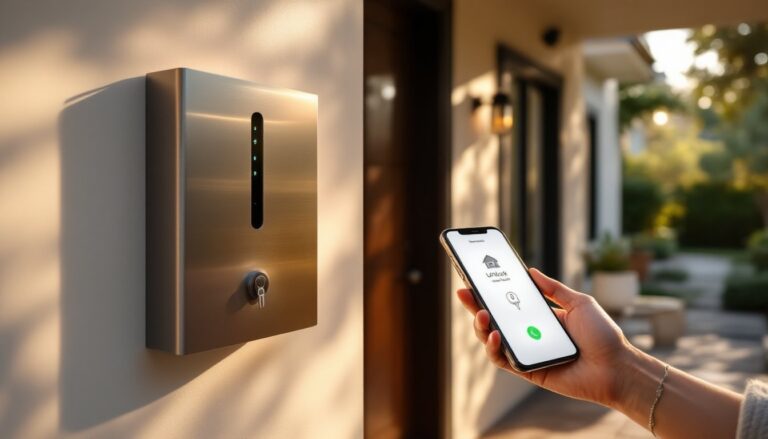
Smart locks have moved from novelty gadgets to practical home security upgrades that most homeowners can install themselves. The SwitchBot Smart Lock stands out as an affordable, retrofittable option that doesn’t require replacing your entire door lock mechanism. Whether you’re tired of fumbling for keys, want to grant temporary access to guests, or simply prefer the convenience of smartphone control, this guide walks you through everything you need to know about the SwitchBot Smart Lock, from how it works to whether it’s the right choice for your home.
Table of Contents
ToggleKey Takeaways
- The SwitchBot Smart Lock is an affordable, retrofittable smart lock that mounts on your existing deadbolt without requiring full replacement, making it ideal for renters and DIY homeowners.
- Installation takes just 15 minutes with basic tools—no drilling, permits, or professional help needed, and the lock includes a manual dial for emergency access if batteries die.
- SwitchBot Smart Lock supports multiple unlock methods including Bluetooth, temporary PIN codes, and voice commands (with the Hub Mini), plus activity logging to track who accessed your door and when.
- Battery life lasts 8–12 months on four AA batteries, with app notifications to prevent being caught off guard, and a physical key backup ensures you’re never locked out.
- The lock uses AES-128 encryption for secure communication and integrates with Alexa, Google Home, and other smart home ecosystems when paired with the optional Hub Mini.
- A smart lock like SwitchBot is a convenience tool, not a security replacement—pair it with a solid deadbolt, reinforced door frame, and secure strike plate for comprehensive home protection.
What Is SwitchBot Smart Lock and Why It Matters for Your Home
The SwitchBot Smart Lock is a retrofittable smart lock that mounts on the interior side of your existing deadbolt. Instead of replacing your lock entirely, it actuates your existing deadbolt mechanism using motorized movement, think of it as a robotic finger that turns your lock cylinder for you. This approach appeals to renters and homeowners alike because it preserves your original hardware and avoids the expense and complexity of full lock replacement.
Why does this matter? First, installation is genuinely a DIY job for most people, no drilling, no permanent modifications, no permits needed in most jurisdictions. Second, if you move or your landlord objects, you can remove it cleanly. Third, the cost sits well below traditional smart lock replacements. You get keyless entry, remote access, and activity logs without the contractor invoice.
The SwitchBot locks to your existing deadbolt and communicates via Bluetooth and Wi-Fi (through a hub, sold separately). You can unlock your door from your phone, share temporary access codes with guests, or use voice commands if you’ve connected it to Alexa or Google Home.
Key Features and Technology Behind SwitchBot Smart Lock
The SwitchBot Smart Lock ships with several standard features that make it practical for everyday use. The device runs on four AA batteries (included) and typically lasts 8–12 months before needing replacement, though heavy use shortens that window. It’s compact and unobtrusive, about the size of a thick hockey puck, so it won’t interfere with interior décor or door handles.
The app interface is straightforward: unlock, lock, check status, and view a history of who unlocked the door and when. You can set schedules (auto-lock at night, for instance) and create temporary codes for guests, contractors, or housekeepers. Battery status is visible in the app, so you won’t be caught off guard.
One practical detail: the lock includes a physical dial on the back that lets you manually adjust the lock position if the Bluetooth connection drops temporarily, you’re not trapped waiting for a restart.
Unlock Methods and Compatibility
The SwitchBot Smart Lock supports multiple unlock methods, which increases convenience and redundancy. Bluetooth unlock is the fastest, hold your phone near the door and it unlocks. You can also set it to unlock automatically when you approach (geofencing), though this drains batteries faster.
For remote access beyond Bluetooth range, you’ll need the SwitchBot Hub Mini (sold separately, ~$30–40). The hub connects to your home Wi-Fi and lets you unlock from anywhere, the office, your car, your vacation spot. The hub also enables voice control through Alexa and Google Assistant.
The lock works with most standard deadbolts (single-cylinder and double-cylinder types), but check your specific lock type before purchasing. It’s compatible with North American, European, and Asian deadbolt designs. Recent reviews on smart home devices confirm broad compatibility, though fit varies slightly depending on your deadbolt’s rotational angle and size.
Key code entry is supported on second-generation models: earlier versions required the app or Bluetooth. If you need a physical keypad, confirm your unit includes that feature.
Installation and Setup: A DIY Homeowner’s Guide
Installation is one of the SwitchBot Smart Lock’s biggest advantages, it’s genuinely a 15-minute job for most homeowners, no tools beyond a screwdriver required.
What You’ll Need:
- SwitchBot Smart Lock (includes battery, adhesive bracket, and mounting hardware)
- Phillips screwdriver
- Smartphone with the SwitchBot app installed
- SwitchBot Hub Mini (if you want remote access: optional but recommended)
- Isopropyl alcohol and lint-free cloth (for surface prep)
Installation Steps:
-
Prepare your deadbolt. Remove any existing interior hardware from your deadbolt (knobs, handles, decorative trim). Clean the interior face of the lock with isopropyl alcohol and let it dry completely, old dust or fingerprints reduce adhesive grip.
-
Position the mount. The SwitchBot attaches via adhesive bracket to the deadbolt’s interior face. Align it so the rotating arm seats cleanly in the lock’s rotational path. A misaligned mount causes grinding and battery drain. Use the bracket template included in the box to mark the exact position.
-
Attach the bracket. Remove the adhesive backing and press firmly for 30 seconds. The industrial-strength adhesive bonds instantly, so check alignment before committing. If you need to reposition, a heat gun and gentle prying will lift it (don’t yank, you’ll damage the finish).
-
Mount the lock body. Screw the SwitchBot onto the bracket using the provided hardware. Start hand-tight, then snug with your screwdriver. Overtightening strips the plastic, so stop when it’s firm.
-
Install batteries and test. Pop in four AA batteries (alkaline, not rechargeable). Press the power button and use the manual dial to confirm the lock rotates smoothly through a full cycle. Listen for any grinding or resistance.
-
Pair with your phone. Open the SwitchBot app, add a new device, scan the QR code on the lock, and follow the Bluetooth pairing prompts. If pairing fails, restart your phone and try again.
-
Test remote unlock. Lock and unlock manually via the app a few times to confirm everything responds. Then test from outside your home or from another room to check Bluetooth range (typically 30–50 feet indoors).
Common Installation Hiccups:
If your deadbolt has a decorative interior rose or escutcheon, you may need to remove it or work around it, SwitchBot supplies shims for minor gaps. If your deadbolt’s rotation angle is unusually tight (double-cylinder locks, for example), apply slight pressure while the lock cycles to ensure the arm clears the mechanism. Some older mortise locks have protruding bolts that interfere: in those cases, a professional smart lock replacement is your better bet.
The lock works best with smart home devices that support Bluetooth and Wi-Fi for full integration.
Smart Home Integration and App Control
Once installed, the SwitchBot Smart Lock becomes part of your broader smart home ecosystem. The SwitchBot app itself is simple, lock, unlock, view history, manage codes, but its real power emerges when you connect it to Alexa, Google Home, or Apple’s HomeKit (via third-party bridge apps).
Voice Control Setup:
If you own an Alexa speaker or Google Home device, you can unlock your door hands-free (though security-conscious users often disable voice unlock without a PIN). The SwitchBot Hub Mini bridges the gap, translating local Bluetooth commands to Wi-Fi and making voice commands possible. Without the hub, voice control won’t work.
Temporary Access and Logging:
One of the most practical features for busy homeowners is the ability to grant time-limited access to contractors, housekeepers, or family members. You create a temporary PIN in the app, set an expiration date and time, and share it via text. The activity log records who unlocked the door, when, and how (app, Bluetooth, key, or pin). This creates accountability without needing key copies.
Automation and Scheduling:
You can automate unlock sequences. For example, set your front door to automatically lock 2 minutes after you unlock it (useful if you often forget). Schedule recurring access for a dog walker or house cleaner. Pair it with other smart home triggers, if your security system detects an intrusion, automatically lock and alert you.
Multiple users can share the same lock. Each person gets their own access in the app, and you can revoke access instantly without changing locks. This is far simpler than managing physical key distribution.
Security Features and Safety Considerations
Smart locks introduce new security vectors, so it’s worth understanding the SwitchBot’s protections and limitations.
Encryption and Communication:
The SwitchBot Smart Lock uses AES-128 encryption for Bluetooth pairing and Wi-Fi communication via the hub. This is industry standard for consumer IoT devices and adequate for residential use. All pairing data is local to your phone and hub, SwitchBot doesn’t store unlock credentials on cloud servers.
Battery Depletion Attacks:
One genuine vulnerability: a determined attacker could theoretically drain your batteries by making repeated unlock attempts. This would disable the lock, forcing you to unlock manually. Mitigation: check battery status monthly in the app, and keep a physical key handy as backup. Also, don’t advertise that you use a smart lock or leave the device visible through windows.
Fallback Access:
Keep a physical key and hide it securely (not under the doormat or planter). The manual dial on the lock lets you operate it if the electronics fail entirely. This is a strong point, you’re not trapped outside if batteries die or the app crashes.
Forced Entry:
A smart lock is only as strong as your deadbolt. If someone kicks in your door, the lock won’t stop them. The SwitchBot doesn’t reinforce the door frame or bolt, it’s a convenience and logging tool, not a substitute for a solid door, frame, and deadbolt. Install a deadbolt bolt with a minimum 1-inch throw and ensure your door frame uses 3-inch screws securing the strike plate to the framing, not the jamb alone.
Firmware Updates:
SwitchBot periodically releases firmware updates via the app. Install them promptly, these patches close security gaps discovered in the field. Set a reminder to check quarterly if updates aren’t automatic.
Renter Considerations:
If you rent, confirm your lease and local law permit temporary smart lock installation. Most jurisdictions allow adhesive-mounted devices, but some require landlord approval. The adhesive can be removed (slowly, with a heat gun), but it may leave a faint residue, use rubbing alcohol to clean it. Check your security deposit terms before installation.
Conclusion
The SwitchBot Smart Lock delivers genuine convenience and logging functionality at a price point well below traditional smart lock replacements. Its retrofit design makes it accessible for renters and homeowners alike, and installation is a straightforward afternoon project. Pair it with the Hub Mini for remote access and voice control, and you’ve got a practical smart home upgrade that actually solves the everyday problem of lost keys and key management. Like any smart device, it’s most effective as part of a layered security approach, strong deadbolts, solid door frames, and common-sense practices matter more than the electronics. If you’re exploring other smart home upgrades, check out options like the Home Depot Smart Lock solutions to compare features and see what fits your needs best. For detailed specifications and real-world testing data, recent smart home tech reviews offer hands-on insights worth consulting before you buy.