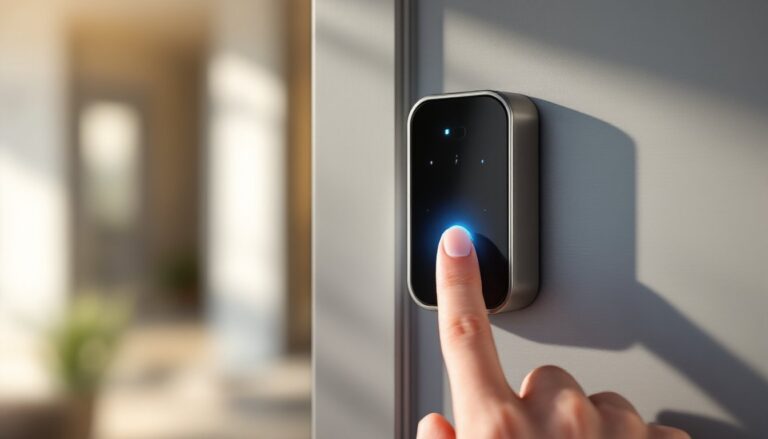
Underfloor heating systems have evolved from luxury indulgence to practical comfort solutions in modern homes. But here’s the thing: turning your heated floor on and off manually defeats the purpose. A smart underfloor heating thermostat lets you automate temperature control, integrate with your smartphone, and dramatically cut energy waste. Whether you’re retrofitting an existing system or planning a new installation, understanding how these devices work and what features matter can save you money and headaches. This guide breaks down the essentials for any homeowner considering this upgrade.
Table of Contents
ToggleKey Takeaways
- A smart underfloor heating thermostat automates temperature control via Wi-Fi, Z-Wave, or Zigbee, allowing remote adjustments from your phone and integration with voice assistants like Alexa and Google Home.
- Smart underfloor heating thermostats can reduce heating costs by 10–15% annually through programmable scheduling, geofencing, and learning algorithms that optimize energy consumption.
- Multi-zone control lets you set independent temperatures for different rooms, preventing overheating unused spaces and accommodating individual comfort preferences across your home.
- Verify compatibility with your heating system type (electric mats, cables, or hydronic loops), check sensor accuracy to ±0.5°C or better, and ensure strong Wi-Fi or mesh network coverage before purchasing.
- For electric systems, DIY installation is often possible if replacing an existing thermostat, but hydronic systems and first-time installations typically require a licensed HVAC technician to ensure proper wiring and safety compliance.
What Is a Smart Underfloor Heating Thermostat?
A smart underfloor heating thermostat is a connected device that monitors and controls the temperature of radiant floor heating systems. Unlike basic manual thermostats, smart versions communicate wirelessly with your phone, tablet, or home automation hub, letting you adjust heat from anywhere.
These thermostats sit between your heating source (boiler, heat pump, or electric coils) and the floor loops or cables. They read the floor surface temperature via built-in sensors and switch the system on or off to maintain your target temperature. Many models also track ambient room temperature and humidity, giving them context to make smarter decisions.
Most smart underfloor thermostats use Wi-Fi, Z-Wave, Zigbee, or Bluetooth to connect to your home network. Some integrate with voice assistants like Alexa or Google Home, letting you adjust temperature with a spoken command. Others work through dedicated mobile apps or web dashboards where you can set schedules, view energy usage, and receive alerts.
Key Benefits for Your Home
Energy Efficiency and Lower Heating Bills
Radiant floor heating is already more efficient than forced-air systems because heat rises naturally from below, no energy wasted heating the ceiling. Add a smart thermostat, and you gain precise scheduling and learning algorithms that cut consumption further.
With programmable scheduling, you set different temperatures for morning, workday, evening, and night. If nobody’s home during the day, lower the setting by a few degrees. The system ramps back up an hour before you arrive. According to CNET’s home automation guides, smart thermostats can reduce heating costs by 10–15% annually through automated adjustments alone. Geofencing, detecting when you leave or arrive, makes this even more hands-off. Some models also learn your patterns over time and suggest temperature tweaks based on weather and usage history.
Electric underfloor systems benefit most because every degree reduction saves measurable electricity costs. Even with hydronic systems (water-based), the pump and boiler run more efficiently when demand is predictable and controlled.
Enhanced Comfort and Zone Control
Smart thermostats shine in multi-room homes or open floor plans. Many support multiple zones, each with its own thermostat and independent schedule. Your kitchen stays warmer in the morning for breakfast prep: the living room adjusts during the day: bedrooms warm up before sleep.
This zoning approach avoids overheating unused rooms and lets everyone in the household follow their own comfort preferences. If your partner prefers a toasty bathroom while you like a cool bedroom, smart controls make compromise unnecessary, each zone operates independently.
Geofencing and occupancy sensing add another layer. The system can detect which rooms are occupied and bias heating toward those spaces, or drop temperatures in unused zones. Some thermostats pair with smart door sensors or motion detectors for this purpose. Digital Trends’ smart home reviews highlight how occupancy-aware heating significantly improves both comfort and efficiency in real-world homes.
Essential Features to Look For
Compatibility with your heating source is non-negotiable. Confirm whether the thermostat supports your system type, electric mat, cable, or hydronic loop. Check the voltage and amperage requirements: electric systems vary widely (120V to 240V, 15A to 50A). Hydronic systems need a relay or valve control module rated for your boiler.
Sensor accuracy matters more than specs suggest. The thermostat reads floor temperature, room temperature, or both. If you’re installing a single unit in a large room, floor-only sensing may create comfort gaps. Dual sensors (floor + room) provide better balance but cost more. Look for thermostats accurate to ±0.5°C or better.
Connectivity options depend on your home setup. Wi-Fi is convenient but requires strong signal coverage. Z-Wave or Zigbee can work through obstacles and mesh with other smart home devices. Bluetooth is simple but typically requires a hub or bridge. Consider future-proofing: Thread-enabled devices are gaining adoption for reliability.
Scheduling flexibility should go beyond basic on-off routines. Ideally, the app lets you set different schedules for weekdays, weekends, and holidays. Geofencing is valuable if you travel or have irregular schedules. Vacation mode (a single tap to drop temps while away) is surprisingly useful.
Safety features include overheat protection (automatically limits max floor temperature to prevent damage to finishes), manual override buttons, and failsafe defaults (system goes to a safe setting if power is lost). Check whether the unit has built-in child locks on the physical thermostat face.
Integration with your ecosystem matters if you use Alexa, Google Home, Apple Home, or a platform like SmartThings. Not all smart thermostats support all platforms. A few models also tie into whole-home energy dashboards, showing underfloor heating’s contribution to overall consumption. Tom’s Guide’s smart home buying guides often compare compatibility across platforms, making it easier to match your existing setup.
Installation and Setup Tips for DIY Projects
Before you buy, verify that your underfloor system can accept a smart thermostat. Older hydronic systems with manual zone valves may require a contractor to install a compatible valve control module, not a DIY task if you’re unfamiliar with plumbing. Electric systems are usually simpler if you’re replacing an existing thermostat, but if you’re adding the first control to hardwired mats, you may need a licensed electrician to handle the circuit work safely.
Read the manual thoroughly before unwrapping anything. Smart thermostat manufacturers provide wiring diagrams specific to their models. Misconnecting just one wire can prevent the system from working or, worse, damage equipment.
Turn off power at the breaker before touching any wires. For electric underfloor systems, verify power is off with a non-contact voltage tester, don’t assume the switch works. Take a photo of the old thermostat’s wiring before disconnecting it: label each wire with painter’s tape noting its original terminal. This saves guesswork during installation.
Run ethernet or position the thermostat where Wi-Fi signal is strong (or where your mesh network reaches). A thermostat in a basement corner won’t communicate reliably with your router upstairs. If coverage is weak, consider a separate Wi-Fi extender or move to a mesh network system.
Set up the app and network credentials before mounting the thermostat. Some models let you pre-configure Wi-Fi during setup via Bluetooth, avoiding the tedium of typing passwords on a tiny screen. Create a strong, unique password for your smart home account, thermostats are part of your home network security perimeter.
Program the initial schedule based on your routine, not ideals. If you genuinely wake at 6 a.m. and leave by 8 a.m., schedule accordingly. Overestimating your discipline leads to wasted heating and frustration. Most thermostats allow you to adjust schedules easily, so start conservative and refine over the first month.
Test failsafe behavior by cutting power or unplugging the unit briefly. Does it default to a safe temperature? Does it send you an alert? Understanding these scenarios prepares you for real power outages.
For hydronic systems or if you feel uncomfortable with wiring, hire a licensed HVAC technician. The cost (typically $150–400 for installation) is worth peace of mind and warranty coverage. Permits aren’t usually required for thermostat replacement, but check local code: structural or load-bearing changes to accommodation underfloor systems may trigger permitting.
Conclusion
A smart underfloor heating thermostat transforms radiant floor systems from set-it-and-forget-it to intelligent, responsive comfort. You save money through precise scheduling and zone control, enjoy better comfort with geofencing and occupancy awareness, and gain peace of mind with remote monitoring. The key is choosing a model compatible with your heating type, ensuring solid connectivity, and installing it correctly. Whether you’re a confident DIYer tackling wiring yourself or bringing in a pro for hydronic work, the investment pays off in lower bills and more responsive heating tailored to how you actually live.