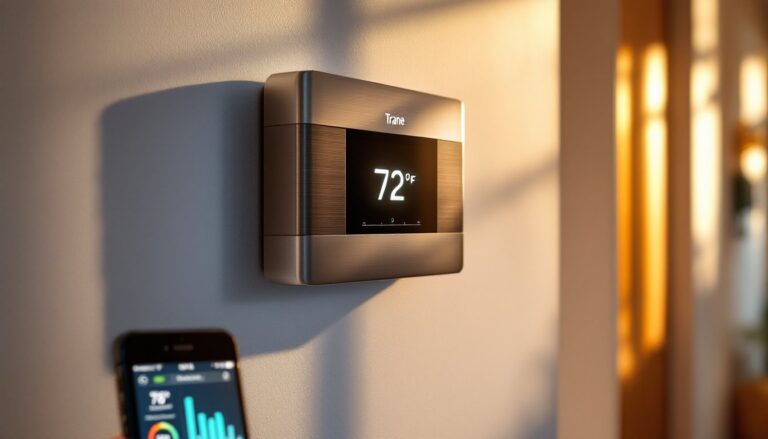
Replacing an old thermostat with a smart alternative doesn’t have to be complicated. The Sensi Touch Smart Thermostat has become a popular choice for homeowners who want intuitive temperature control without the steep learning curve of other smart devices. Whether you’re upgrading from a manual dial or a basic programmable unit, this guide walks you through what makes the Sensi Touch stand out, how to install it, and whether it’s the right fit for your home. If you’re ready to bring your climate control into the modern era while keeping things straightforward, read on.
Table of Contents
ToggleKey Takeaways
- The Sensi Touch Smart Thermostat offers an intuitive 7-inch touchscreen, direct WiFi connectivity, and remote smartphone control without requiring a separate hub, making it ideal for homeowners seeking straightforward climate control.
- Most homeowners experience 10–15% reduction in heating and cooling costs during the first year, with additional savings achieved through geofencing automation and data-driven temperature adjustments.
- Installation typically takes 30 minutes to an hour for standard setups, though pulling a new C wire from your furnace may require professional help costing $150–$300, bringing total investment to $250–$450.
- The Sensi Touch integrates seamlessly with Amazon Alexa, Google Assistant, and IFTTT for voice control and custom smart home automation, giving you flexibility in how you manage your climate.
- Detailed energy reports and Away/Home modes help you identify usage patterns and automate temperature adjustments based on your location and schedule without constant manual intervention.
What Is the Sensi Touch Smart Thermostat?
The Sensi Touch is a WiFi-enabled smart thermostat manufactured by Emerson that sits between ultra-basic programmable models and expensive learning thermostats. It features a 7-inch touchscreen display, precise temperature control, and remote access via smartphone. Unlike some competitors that require a separate hub, the Sensi Touch connects directly to your home WiFi network, which means fewer devices cluttering your setup.
The unit works with both heating and cooling systems, gas furnaces, electric resistance heat, heat pumps, and air conditioning. It’s compatible with most residential HVAC setups, though you’ll need to check your system’s wiring before installation. The thermostat displays your current temperature, humidity levels, and system status on its bright, responsive screen. It also shows weather forecasts and allows you to set schedules for different days and times.
Key Features and Benefits for Homeowners
One of the biggest draws is the large touchscreen interface, it’s genuinely easy to read and navigate without fumbling through menus. The display shows your target and current temperature at a glance, and you can adjust settings with just a tap. Another core feature is remote access through the Sensi app, which lets you change your thermostat from anywhere using your smartphone. If you’re heading home early or forgot to adjust the temperature before leaving, problem solved.
The geofencing capability is genuinely useful: the system detects when you leave and enter your geofence and can automatically switch to Away mode or return to your comfort setting. This eliminates the common mistake of forgetting to switch modes manually. You’ll also get detailed energy reports that show your heating and cooling usage over time, breaking down how much you’re spending on climate control month by month.
Integration with Amazon Alexa and Google Assistant means voice control works without extra setup. You can ask “Alexa, set the thermostat to 72 degrees,” and it happens instantly. The unit also supports IFTTT (If This Then That), allowing you to create custom automation routines that tie your thermostat to other smart home devices.
Energy Savings and Cost Reduction
Where smart thermostats deliver real money-saving potential is through behavior tracking and automated scheduling. The Sensi Touch learns your routine by tracking when you adjust the temperature and offers recommendations for when to shift to lower settings. Most homeowners see 10–15% reduction in heating and cooling costs during the first year, though actual savings depend on your region, climate, insulation quality, and how aggressively you adjust settings.
The energy reports give you visibility into your usage patterns. You can see exactly when your system runs and experiment with setbacks, dropping your temperature by just 7–10 degrees for 8 hours (like during sleep or when away) adds up fast over a winter. Unlike a truly “learning” thermostat that operates largely on its own, the Sensi Touch puts the controls in your hands while providing data to make smarter choices.
Installation and Setup Process
Before you touch anything, turn off power to your HVAC system at the breaker. Take a photo of your existing thermostat’s wiring before disconnecting anything, this photo becomes your reference guide and saves a ton of guesswork.
What you’ll need:
• Screwdriver (usually a Phillips head)
• Smartphone or tablet to set up the WiFi connection
• Internet connection in your home (the thermostat connects via 2.4 GHz or 5 GHz WiFi)
• Wire nuts or terminal connectors (often included, for securing wires)
• Drywall anchors (if you need to mount it away from an existing hole)
The physical installation typically takes 30 minutes to an hour if your wiring is straightforward. Remove the old thermostat carefully, most slide out of a wall bracket. Sensi includes a template that helps you drill new holes if needed: align it exactly and use a level to ensure the new bracket sits straight. The touchscreen won’t function properly if the unit sits at a steep angle.
Strip about 1/2 inch of insulation from each wire and insert them into the labeled terminals on the back. The Sensi Touch uses low-voltage wiring (typically 24V), so there’s no shock hazard, but double-check wire labels: R (red, power), W (white, heat), Y (yellow, cooling), G (green, fan), and C (common). If your old thermostat didn’t have a C wire, you may need to run one from your furnace, this sometimes requires opening a wall or running conduit. If you’re not comfortable with this step, a licensed HVAC technician can pull the wire in under an hour, often for $150–$300 depending on distance.
Once wired, press the unit into the wall bracket, power on the breaker, and wait for the startup screen. The touchscreen guides you through WiFi pairing, select your network, enter your password, and the app walks you through the rest. Within a few minutes, you’ll get a notification that your thermostat is online.
Mobile App Control and Smart Home Integration
Once installed, download the Sensi app (available on iOS and Android) and log in with the account you created during setup. The app mirrors your thermostat’s display, current temperature, target, mode, and fan settings all appear on your phone. Tap to adjust your setpoint, and the change happens in seconds.
The Away and Home modes are where the app really shines. Away mode typically raises your cooling setpoint or lowers your heating setpoint by a few degrees to save energy: Home mode returns you to comfort. You can set this manually before leaving, or enable geofencing so your phone’s location automatically triggers the switch. Many users find this more reliable than trying to remember a schedule.
For smart home integration, Sensi plays well with ecosystems reviewed by CNET, Tom’s Guide, and Digital Trends when evaluating connected home devices. Voice assistants like Alexa and Google Home can control basic functions (set temperature, change mode), though you can’t create complex automations through voice alone. For deeper integration, IFTTT applets let you link your thermostat to other smart devices, for example, “If thermostat goes into heating mode, turn on a smart humidifier.”
The energy dashboard within the app tracks your usage patterns and daily, weekly, and monthly trends. You can see which days your system ran the most and correlate that with outdoor temperatures or your presence at home.
Is the Sensi Touch Right for Your Home?
Best for: Homeowners who want straightforward, touch-friendly control without overwhelming features. If you like transparency, knowing exactly what your thermostat is doing, and you’re willing to tweak settings to maximize savings, the Sensi Touch fits well. It’s also ideal if you have a compatible HVAC system and good WiFi signal near your thermostat location.
Consider something else if: You live in a region without reliable WiFi coverage (though Sensi’s connection is relatively stable), or if you prefer a thermostat that learns and adjusts entirely on its own without your input. If your HVAC system uses uncommon wiring or requires extensive rewiring, a licensed technician should evaluate it first, this isn’t a DIY project in those cases.
Budget expectations: The Sensi Touch typically costs $100–$150 for the unit itself. Professional installation (if needed for a C wire) runs $150–$300. You’ll recoup the cost through energy savings over 1–3 years in most climates.
Installation difficulty: If your thermostat location already has 5+ wires and a C wire present, installation is a straightforward 30-minute job. If you need to pull a new C wire from your furnace or breaker panel, budget 2–4 hours and either hire a professional or tackle it if you’re comfortable running low-voltage wiring.
Conclusion
The Sensi Touch Smart Thermostat delivers real convenience and energy savings without demanding a PhD in smart home technology. Its intuitive touchscreen, reliable app control, and straightforward installation make it a solid choice for upgrading your climate control. Measure twice, take a photo of your existing wiring, and follow the included instructions carefully, most installations succeed on the first try when you’re methodical with prep work.