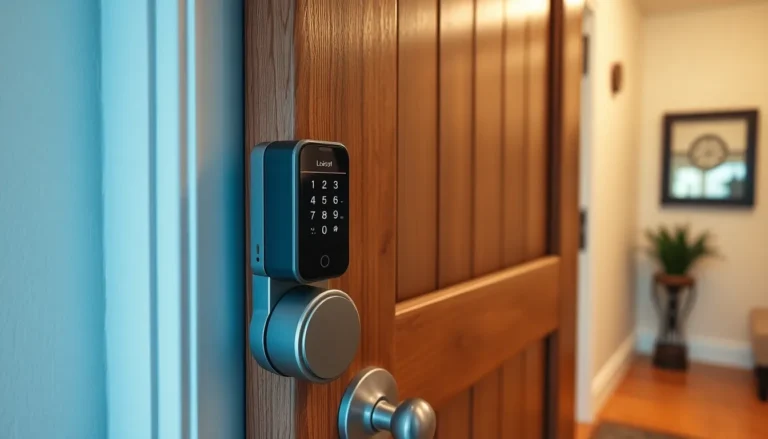
Fingerprint smart locks have moved from sci-fi concept to practical reality for residential doors. Unlike traditional keypads that rely on PIN codes or smartphone apps, these biometric systems read your unique fingerprint to unlock your home, no keys, no codes to forget. If you’re considering upgrading your front door security or curious about whether fingerprint technology fits your household, this guide breaks down how these systems work, their real-world advantages, and what you need to know before installing one. We’ll walk through the practical side of fingerprint smart locks so you can make an well-informed choice for your home.
Table of Contents
ToggleKey Takeaways
- Fingerprint smart locks authenticate users with unique biometric data, eliminating the need for lost keys or forgotten PIN codes and providing granular control over who enters your home and when.
- Installation of fingerprint smart locks is a manageable DIY project for standard doors when you measure your door’s backset (2⅜ or 2¾ inches) and follow manufacturer instructions, though complex or non-standard configurations may require a locksmith.
- Quality fingerprint locks typically cost $250–$600, store 50–100 fingerprints, offer 6–12 months of battery life per charge, and include features like access logs, offline biometric operation, and optional WiFi connectivity for remote monitoring.
- Fingerprint locks excel in convenience for hands-full situations and extreme weather, while eliminating the need for spare keys or temporary physical key exchanges with contractors and guests.
- When choosing a fingerprint lock, prioritize scanners with a 99% acceptance rate to minimize failed authentications, verify battery backup options, and confirm compatibility with your smart home platform before purchasing.
What Is a Fingerprint Smart Lock?
A fingerprint smart lock is a door lock that uses biometric scanning technology to authenticate users instead of requiring a physical key or PIN code. When someone places their finger on the lock’s scanner, it captures their unique fingerprint patterns and compares them against stored data. If there’s a match, the lock engages the deadbolt mechanism and grants access.
These systems typically combine a fingerprint scanner with a motorized lock mechanism powered by rechargeable batteries. Most models store between 50 to 100 fingerprints, though premium versions hold more. The scanner itself is usually a capacitive or optical sensor located on the front of the lock, either integrated into the keypad or housed in a separate panel. Setup involves enrolling authorized fingerprints into the system’s memory, often done through a control panel or companion mobile app.
Fingerprint locks operate independently from your home’s WiFi in offline mode, they don’t require internet to function. But, many modern smart locks also include Bluetooth or WiFi connectivity, allowing remote monitoring and temporary access codes for guests. This hybrid approach gives you redundant entry methods: biometric on-site, plus app-based management if the system supports it. Battery life typically ranges from 6 to 12 months per charge, depending on usage frequency and lock model.
Key Advantages of Fingerprint Smart Locks for Homeowners
Enhanced Security and Access Control
Fingerprint authentication is inherently more secure than traditional locks because your fingerprint can’t be lost, copied, or transferred like a physical key. Biometric data is unique to each person, so unauthorized entry requires either an exact match or a sophisticated bypass, far harder than lock-picking or key duplication. You also gain granular control over who enters and when. A homeowner can enroll specific fingerprints for family members, contractors, or temporary visitors, then revoke access instantly without changing locks or re-keying.
Most fingerprint locks include an audit trail or access log, so you can review exactly who unlocked the door and at what time. This feature proves invaluable if you’re investigating a security concern or simply want to confirm that your teenager arrived home as promised. Some advanced models integrate with smart home device reviews and security guides from CNET, allowing you to create automations that trigger lights, cameras, or alarms based on who’s entering.
Convenience and Quick Entry
No more fumbling for keys in a dark pocket or juggling grocery bags while reaching for your keychain. With a fingerprint lock, entry takes literally one second, place your finger on the scanner, and the door unlocks. This speed matters when you’re carrying kids, armfuls of packages, or have your hands wet from the garden. Guests and family members appreciate the friction-free experience, and you never need to worry about a spouse or roommate misplacing a key.
During extreme weather, frozen locks aren’t an issue because you’re not inserting a physical key that can ice over or jam. For aging residents or people with mobility constraints, fingerprint scanning eliminates the fine motor skill needed to turn a traditional key. Winter visitors or contractors don’t need special instructions about where you hid the spare key. Temporary access codes for plumbers, electricians, or dog walkers can be created, monitored, and deleted without any physical key exchange.
Installation and Setup Tips for DIY Projects
Installing a fingerprint smart lock is within reach for most homeowners, though it’s crucial to understand when professional help is necessary. If your existing deadbolt is a standard interior-mounted or mortised lock, removal and replacement are straightforward. Start by assessing your door: standard exterior doors accept lock cylinders with either a 2⅜-inch or 2¾-inch backset (the distance from the edge of the door to the center of the lock hole), measure yours before purchasing.
Disassemble the existing lock according to your lock’s instructions, which typically involves removing the interior escutcheon or trim ring. Unscrew and pull the entire lock mechanism from the door. Clean the lock hole and inspect for damage. If your door has a specialized mortise lock, reinforced commercial strike plate, or non-standard thickness, installation becomes more complex and may require a locksmith or carpentry work.
The fingerprint lock slides in and fastens to the door frame using the existing hole and screws. Install the battery pack (usually AA or AA-sized rechargeable batteries) and enroll your fingerprints following the manufacturer’s app or keypad prompts. Place your finger on the scanner multiple times to build an accurate profile, capture different angles and pressure levels so the system recognizes your print reliably even with dirt or slight variations.
Test the lock thoroughly from both sides before fully committing. Verify the door closes without binding and the bolt extends and retracts smoothly. Most modern fingerprint locks include a temporary mechanical key override for emergencies, so keep that key accessible. If you encounter difficulty or if your door requires structural modifications, contact a licensed locksmith. Installation fees typically range $150–$300, depending on locale and complexity.
Choosing the Right Fingerprint Lock for Your Home
Fingerprint lock quality and feature sets vary significantly. Start by defining your priorities: Do you need WiFi connectivity or are offline biometric locks sufficient? How many fingerprints must the system store? Is battery life critical, or do you have reliable power access?
Reviews from trusted tech sources highlight real-world performance. The Lockly Flex Touch Smart Lock reviewed by Tom’s Guide demonstrates fingerprint scanning alongside app-based controls and remote access, useful if you want flexibility beyond just biometric entry. Consider whether you want these extra conveniences or if a simpler, offline-only fingerprint lock suits your needs better.
Battery capacity matters for long-term reliability. Premium models feature low-battery alerts and backup power options (like USB charging) to prevent lockouts. Check the scanner’s false-rejection rate, a good system should accept your authorized fingerprint at least 99% of the time. Poor scanners frustrate users with repeated retries on cold mornings or wet hands.
Compatibility with existing smart home platforms (Apple HomeKit, Google Home, Alexa) is worth evaluating if you’re building a connected home. Some fingerprint locks only work with their proprietary apps, limiting automation options. Finish and style matter too, brushed stainless steel or matte black blends with most door hardware, while chrome or polished finishes show fingerprints easily.
Budget ranges from $250–$600 for quality residential fingerprint locks. Cheaper options under $200 often have slower scanners or lower storage capacity. Avoid bargain-basement models with unverified reviews, a cheap lock that fails to authenticate costs you far more in frustration and potential lockouts than a reliable mid-range option.
Check local building codes before installation. Some jurisdictions have specific requirements for residential locks, especially in rental properties or HOA communities. Confirm your lease or property deed permits modifications to entry hardware. If renting, discuss lock changes with your landlord beforehand, and keep your original lock for reinstallation at move-out.
Conclusion
Fingerprint smart locks deliver genuine security and convenience improvements over traditional locks, making them a smart upgrade for homeowners who want fast, hands-free entry without sacrificing control. Installation is achievable for most DIYers on standard doors, though complex door configurations or non-standard hardware may require professional help. Focus on reliable biometric scanning, adequate storage for fingerprints, and battery life when selecting your lock. With careful measurement, honest assessment of your skill level, and attention to local codes, you can upgrade your home security in an afternoon, and enjoy keyless peace of mind for years to come.